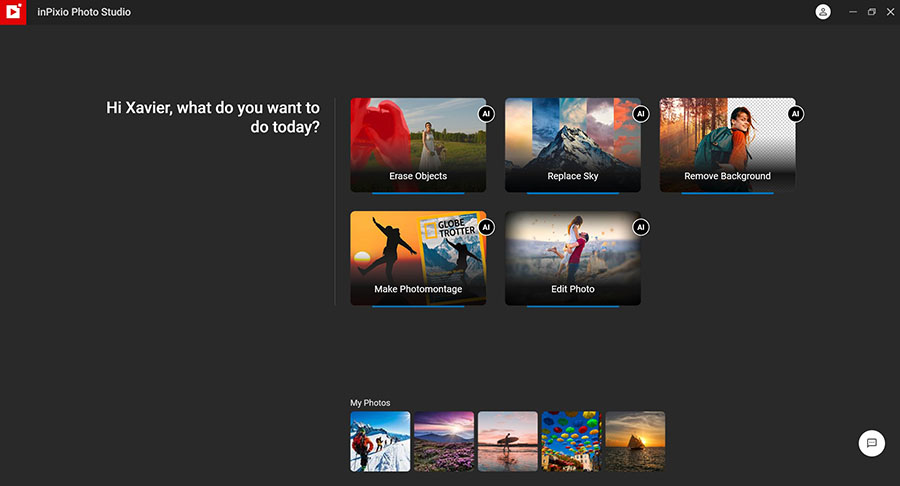
GThanks to inPixio Photo Studio Pro®, photo editing enthusiasts can now take advantage of 100% automated image processing technology, up to 15 times faster than previously available technologies. With just one click and in mere seconds, you can easily make the following changes:
The new AI Erase tool, allows you to erase any object or person from your photo without any fall-off in the optimized quality.
The erase tool features automatic detection of color contrasts, assisting you at any point in your path.
inPixio Photo Studio allows you to erase an object just like an eraser, simply by highlighting the unwanted parts of the image, and reconstructs the structures of the background. Correct any residual imperfections with the Clone Stamp. Here are a few examples of use:
The Correction Patch tool allows you to get rid of imperfections, fill in or clone part of an image with just one flick of the mouse. It makes it easier to touch up areas that are hard to “reconstruct”.
It can remove or add elements, even in areas that are very difficult to rebuild (steps, shading in the sky, etc.).
Also use the patch to retouch portraits. Eliminate minor imperfections and make wrinkles less visible, like the glossy magazines do!
Use the Clone Stamp to perfect your editing or to clone contrasting features. Existing objects can be redrawn on the screen with the clone stamp. Repeat this process as often as you like to create amazing double effects!
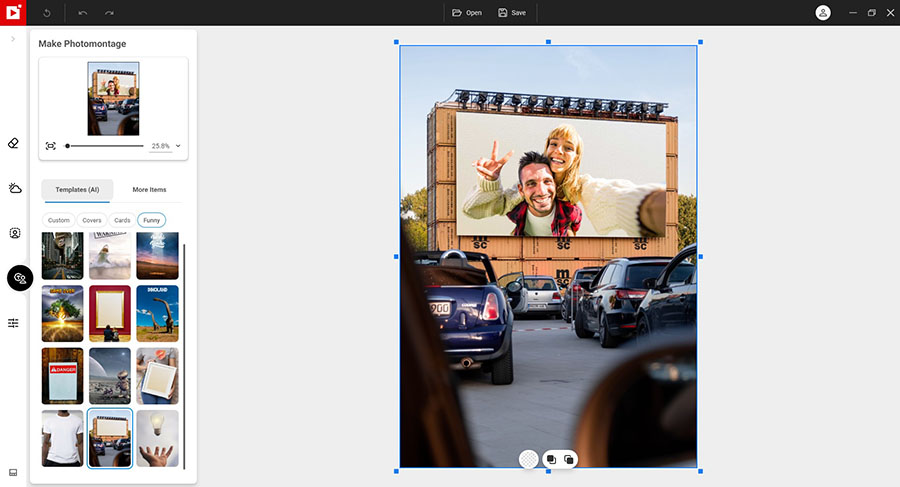
With inPixio Photo Studio, you can customize the style of your photos in one go and create images straight out of your imagination to impress your family or friends. To create your photomontage, nothing could be simpler: choose the background image which will be the starting point for your photomontage.
Apply to your background image those stickers or people and objects that you have previously cut out with the Background Removal module.
By default, a hundred stickers and text templatesare available to add style to your photos and photomontages.
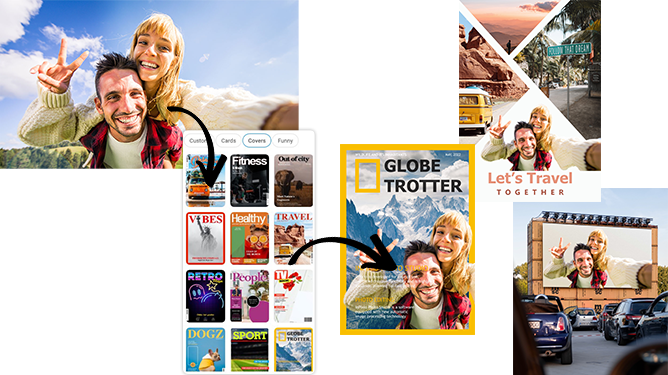
But the AI-based photomontage module goes even further. It allows you to instantly cut out a person or object, then in one click automatically insert your cut-out image into fun new creations such as magazine covers, cards and billboards, etc.
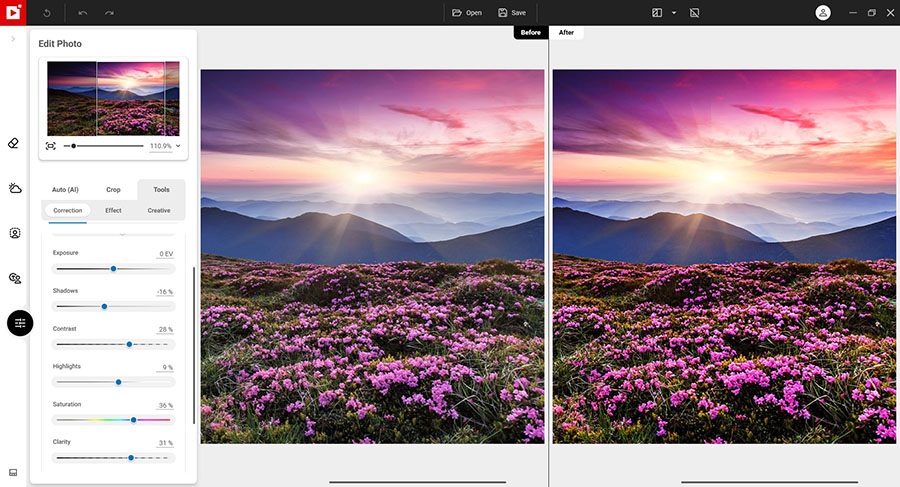
With the photo editing module, Photo Studio offers you several tools that allow you to optimize your photos easily. Whether through automatic correction in 1 click or via conventional or more creative tools, you will find the tool you need to enhance your images. .
Adjust the temperature, exposure, contrast, saturation, etc. settings of your photo for maximum optimization.
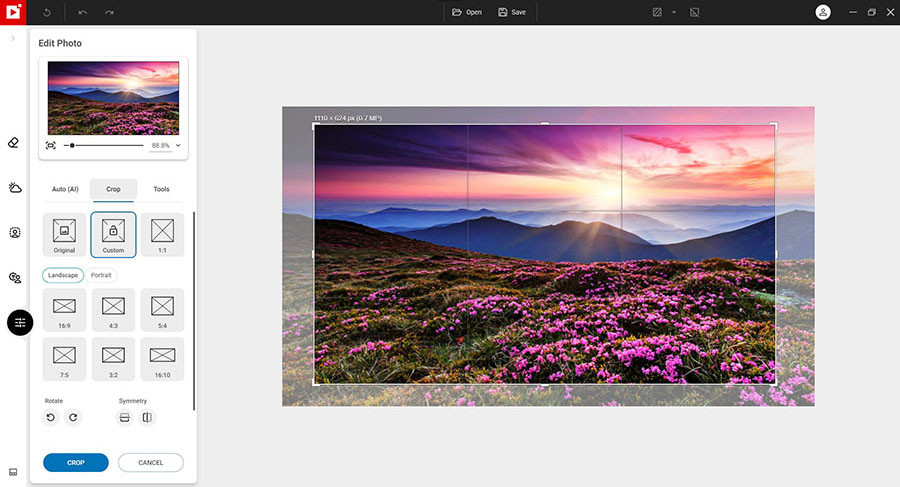
Set the ratio of your photos yourself (1/1, 4/3, 16/9 etc.), then adjust the angle by drawing a horizontal line on your photo.
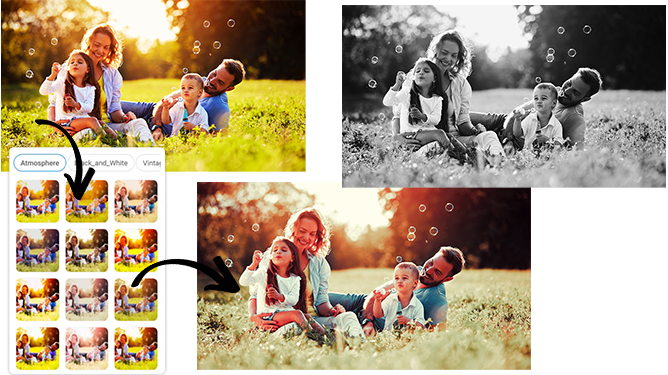
Want to get incredible results in 1 click? Turn your pictures into one-of-a-kind shots by using styles worthy of a professional photographer. In just 1 click, your original photo is transformed and enhanced thanks to our selection of LUTs. You can also use this tool to import your own libraries or download and import free libraries from the Internet.
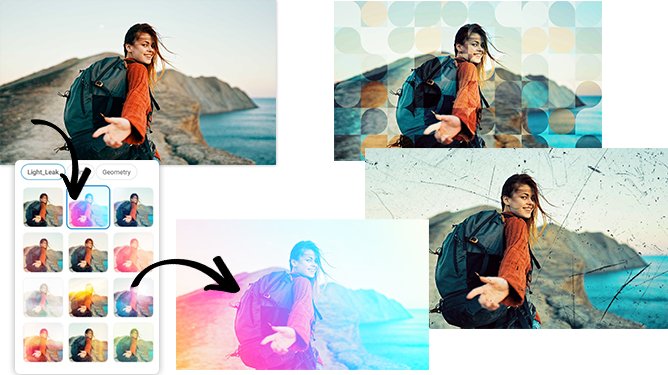
Add filters and textures from the many models available:
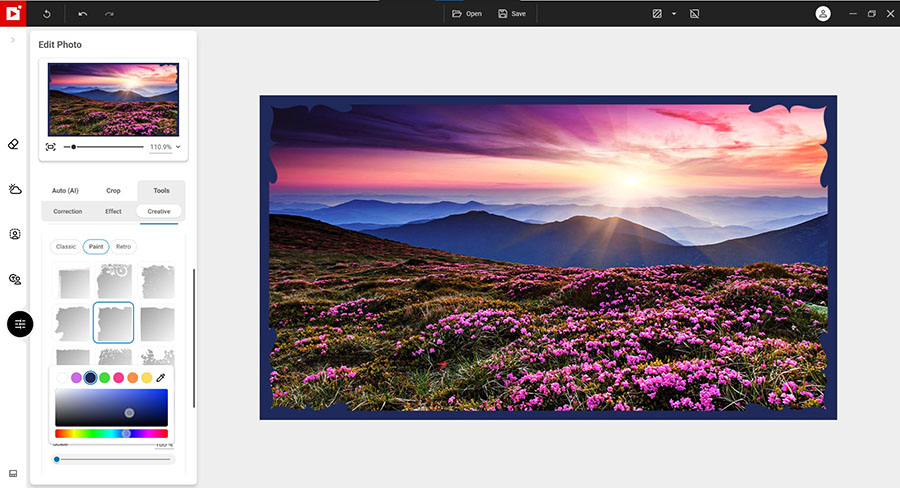
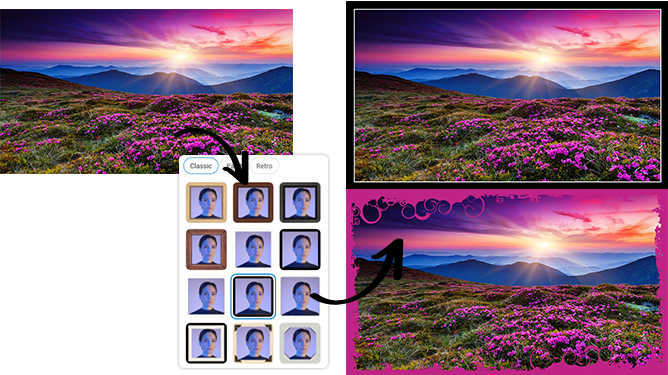
Put frames around your photo to add character to your shot.
Apply a vignetting effect to darken or lighten the edges of a photo and draw attention to the subject in the center of the image.
Chat with us anytime.
Even with the easiest software, you may need a helping hand from time to time. That is why we operate a 24-hour chat service, accessible directly from the program.
Ask us any questions you have about your photo editing, our friendly team of experts are here to help!
 |
  49.99£
|
  79.99£
 |
|
New ! Redesigned interface
|
 |
|
|
New ! Intelligent Erase Objects
|
|
|
|
Correction Patch - Erasing or cloning features in detail areas
|
|
|
|
Erase unwanted features: shadows, panels, watermarks, etc.
|
|
|
|
Removal of scratches, folds, stains
|
|
|
|
Stickers, Text and Objects available
|
|
|
|
Creation of montages from your photos
|
|
|
|
New ! AI photomontage with creative models: magazine covers, cards and billboards, etc.
|
|
|
|
Ability to import several photos in a single edit
|
|
|
|
Photo optimization: temperature, clarity, contrast, shadow, luminosity, saturation, etc.
|
|
|
|
Adding of unique and original frames and textures
|
|
|
|
Improved! Remplacement du ciel IA
|
 |
|
|
Remove Background AI
|
|
|
|
Nouveau ! Automatic correction AI in 1 click
|
|
|
|
Graduated blur tool
|
|
|
|
Film grain tool
|
|
|
|
Denoise tooll
|
|
|
|
Sharpness correction tool
|
|
|
|
| Version | 12 |
| Size | 2.7 Mb |
| Platform | Windows 8 64-bit, Windows 10, Windows 11 |
inPixio Photo Studio 12 is available in several languages including English (US/UK), French, German, Italian, Spanish
Subscription license.